Buy a label, print it instantly: introducing click-to-print in Shippo

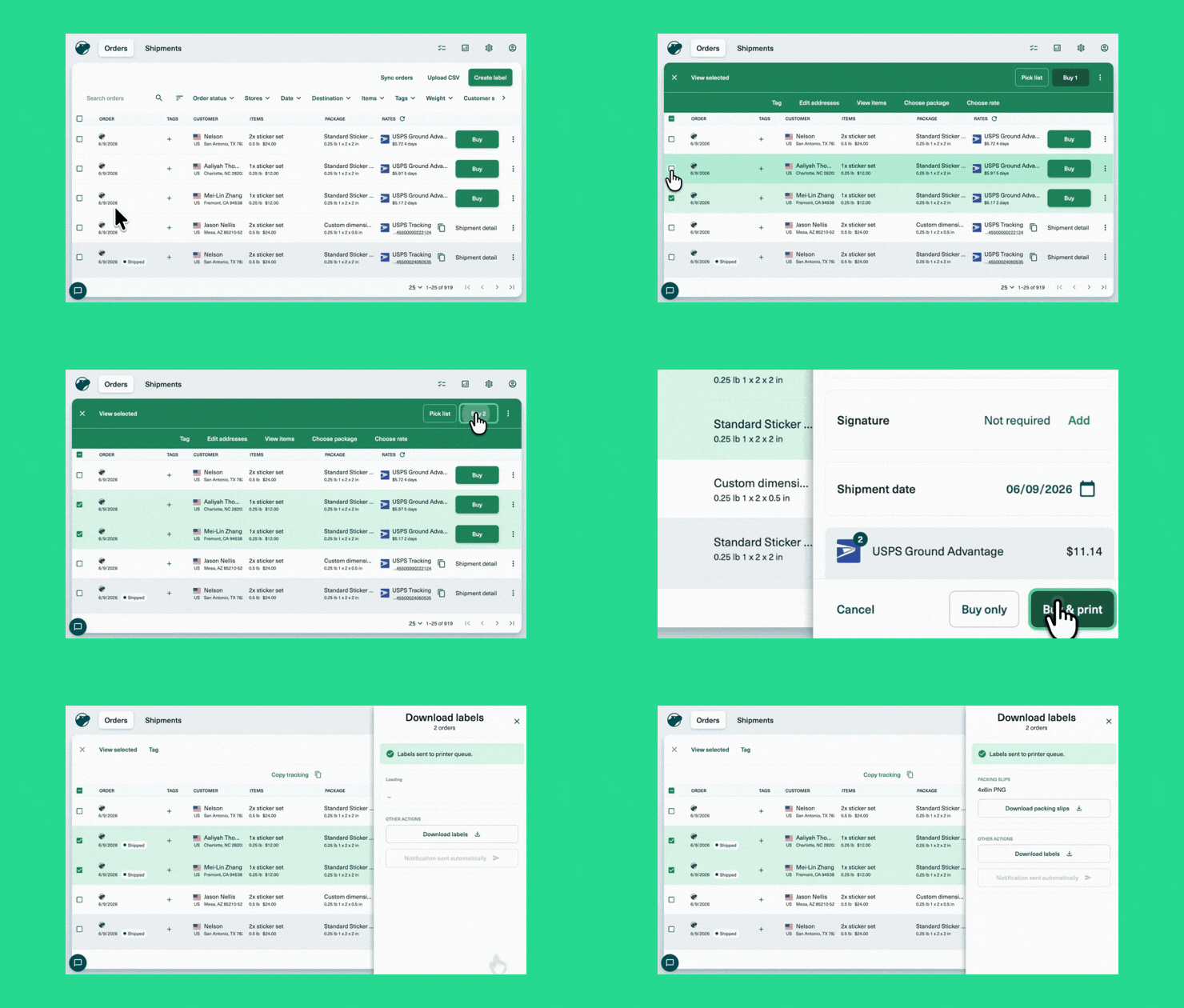
Printing your Shippo labels just got faster with click-to-print.
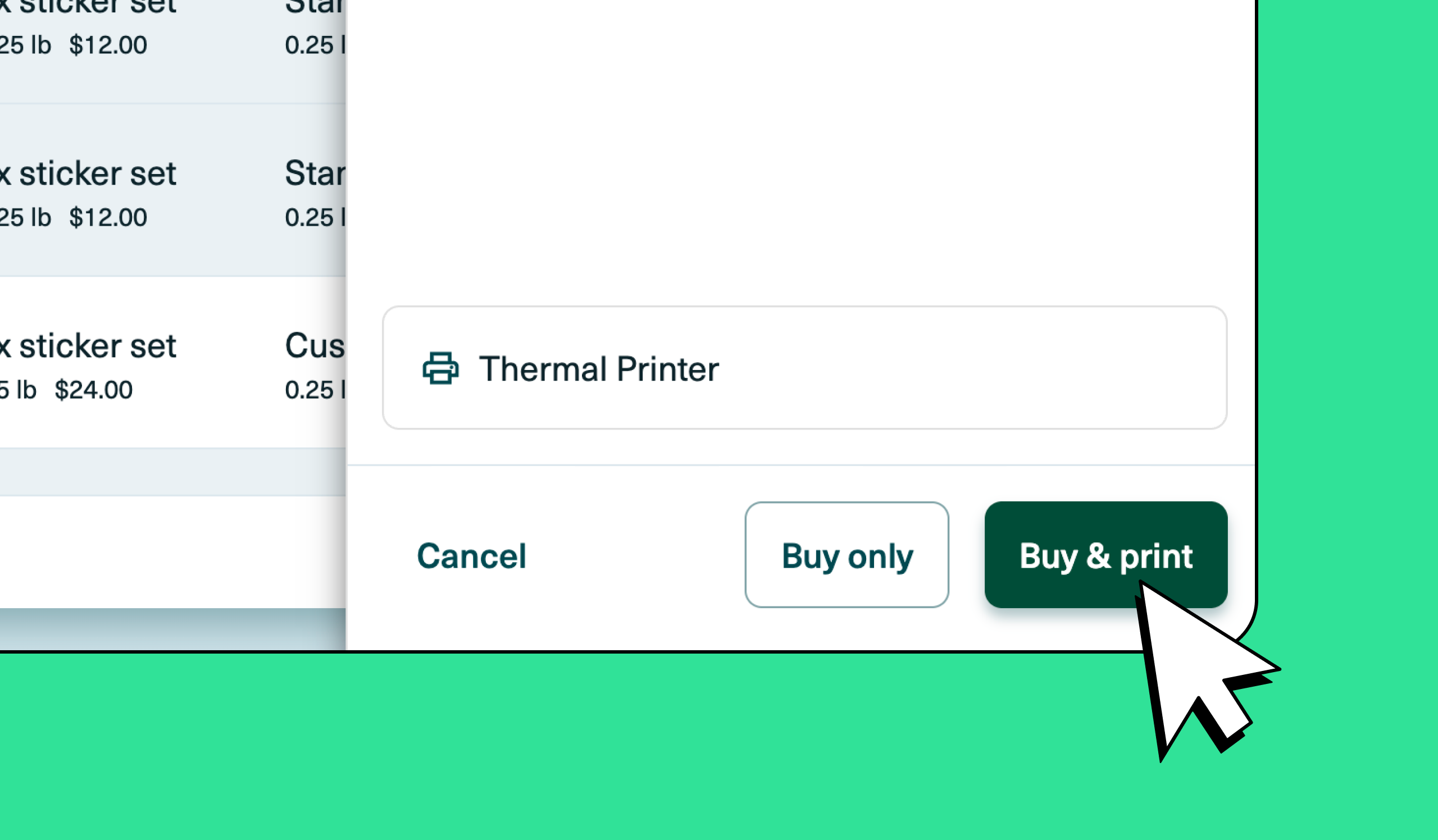
Now you can buy a label in Shippo and it prints instantly. No downloading a label file, no hunting through your downloads folder, no extra steps. And those saved clicks? They add up fast across a week of orders.
What is click-to-print?
Click-to-print is the latest addition to QuickPack, Shippo's pick, pack, and print fulfillment suite built for growing merchants. With click-to-print, the label printing step gets out of the way so your team can move through orders faster.
It works alongside Shippo Print, a free desktop app that connects Shippo directly to your printer. Once it's set up, you won't think about it again.
How to get started
.gif)
Getting click-to-print up and running takes about five minutes.
- lnstall Shippo Print
- Save your default printer and settings once
- Buy a label and it prints instantly every time after
Your printer settings stick across sessions too. No dropdown to select on every order, no wrong-device prints, no reconfiguring when someone else steps in to print. For teams with multiple people packing, that consistency matters more than it sounds.
Need help installing Shippo Print? Check out the guide.
How click-to-print fits into QuickPack
Click-to-print is the second piece of QuickPack, Shippo's fulfillment suite designed to help growing merchants ship faster without adding complexity.
In April we launched pick lists, letting merchants generate a clear, organized list of what to grab across all their orders in seconds instead of piecing it together by hand.
Click-to-print picks up where pick lists leave off. Once you know what to grab and you've packed the order, getting the label out shouldn't slow you down.
What's coming next
Scan-to-print is coming soon. Scan an item to pull up an order and print the label for faster packing and fewer mistakes every time (especially useful during busy seasons when volume spikes and extra hands are helping).
FAQs
What is click-to-print? Click-to-print lets you buy a shipping label in Shippo and print it instantly without downloading a file. It works through Shippo Print, a free desktop app that connects Shippo to your printer.
Who is click-to-print for? Click-to-print is available to all Shippo web app users. It's most useful if you're printing a high volume of labels regularly, since that's where the time savings really add up.
How do I get started with click-to-print? Install Shippo Print, save your default printer and settings once, and from that point on your labels print instantly every time you buy one. Setup takes about five minutes.
Do I have to use Shippo Print to print labels? Shippo Print is required for click-to-print. If you'd rather not install it, you can always buy labels in Shippo and print them the traditional way by downloading the label file. Click-to-print is designed to save you time and clicks.
Can I save my printer settings in Shippo? Yes. Once you save your default printer and settings, they stick across sessions so you and your team don't have to reconfigure every time.
Get started with click-to-print
Click-to-print is available now for all Shippo users. Install Shippo Print to get set up and start printing labels instantly on your next order.
New to Shippo? Get started free.
Looking for a multi-carrier shipping platform?
With Shippo, shipping is as easy as it should be.
- Pre-built integrations into shopping carts like Magento, Shopify, Amazon, eBay, and others.
- Support for dozens of carriers including USPS, FedEx, UPS, and DHL.
- Speed through your shipping with automations, bulk label purchase, and more.
- Shipping Insurance: Insure your packages at an affordable cost.
- Shipping API for building your own shipping solution.
Stay in touch with the latest insights
Be the first to get the latest product releases, expert tips, and industry news to help you save time and money on shipping.
Loading...
Thanks for your submission!