

How to Create a Shipping Label | Easy Guide for Small Businesses
To make a shipping label, you need the recipient's address and the weight and size of your packed box. Then you pick a carrier service, pay the postage and print the label, either on plain paper or on a 4x6 label. Shipping software like Shippo shows USPS, UPS and FedEx rates side by side, so you can compare prices and delivery times for each package before you buy.
In this article
- Where to get a shipping label
- How to create a shipping label in 6 steps
- How much does a shipping label cost?
- How to print shipping labels at home
- Made a mistake? How to cancel a label
- Shipping lots of orders
- Frequently asked questions
Where to get a shipping label
You can buy a shipping label at the post office counter, on a carrier's website, through a marketplace like eBay or Etsy for orders you sold there, or in shipping software. Either way, you pay for the postage when you buy the label. A template you print yourself has no postage on it, so the carrier won't take it.
A carrier's website only shows that carrier's services. Shipping software shows several carriers at once, so you can see which one is cheapest or fastest for your package. Shippo's Starter plan is free for up to 30 labels a month, so you pay just the postage on each label, plus any extras like insurance.
How to create a shipping label in 6 steps
Most tools ask for the same things in roughly the same order. Here's how it works, with screenshots from the Shippo web app as of September 2026.
Step 1: Weigh and measure the packed box
Put everything in the box first, including padding and filler, then weigh it. A kitchen or postal scale works fine. Measure the outside of the box, not the product, and round up rather than down: UPS rounds every side up to the next whole inch, so a 12.2-inch side counts as 13. If the numbers you enter are too low, the carrier can charge you an adjustment after the package ships.
Step 2: Enter the addresses
Your own address goes on as the sender. For the recipient, include the apartment or suite number, and add a phone number if you have one in case the carrier needs to reach them. If it's a home address, mark it as residential.
In Shippo, click Create label on the Orders page. Your sender address is already filled in. Start typing the recipient's street and pick it from the suggestions, or paste the whole address with Paste US Address. You don't need a store connected to do this.
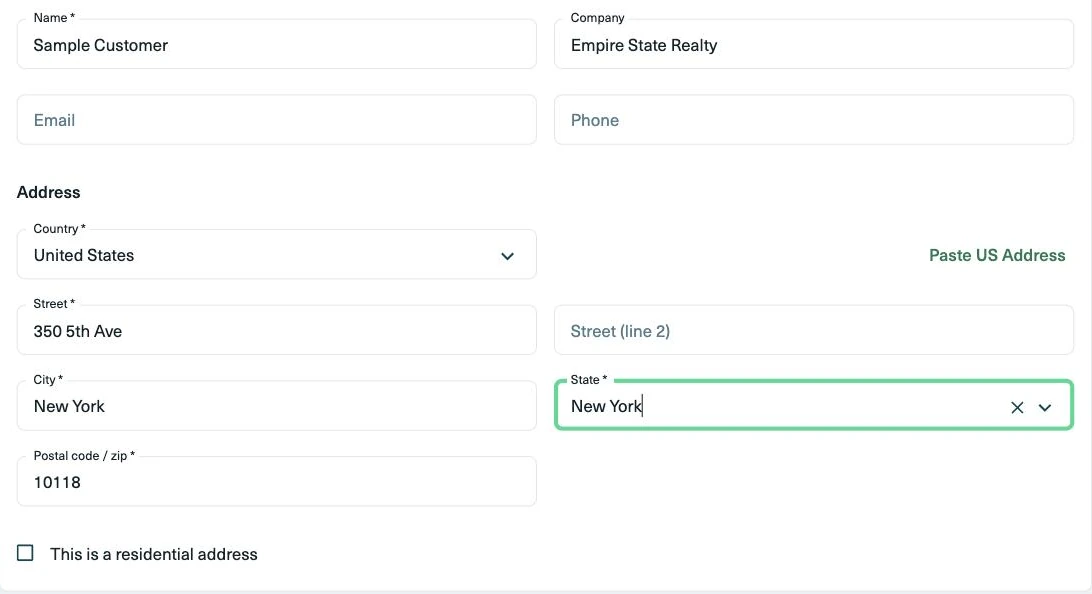
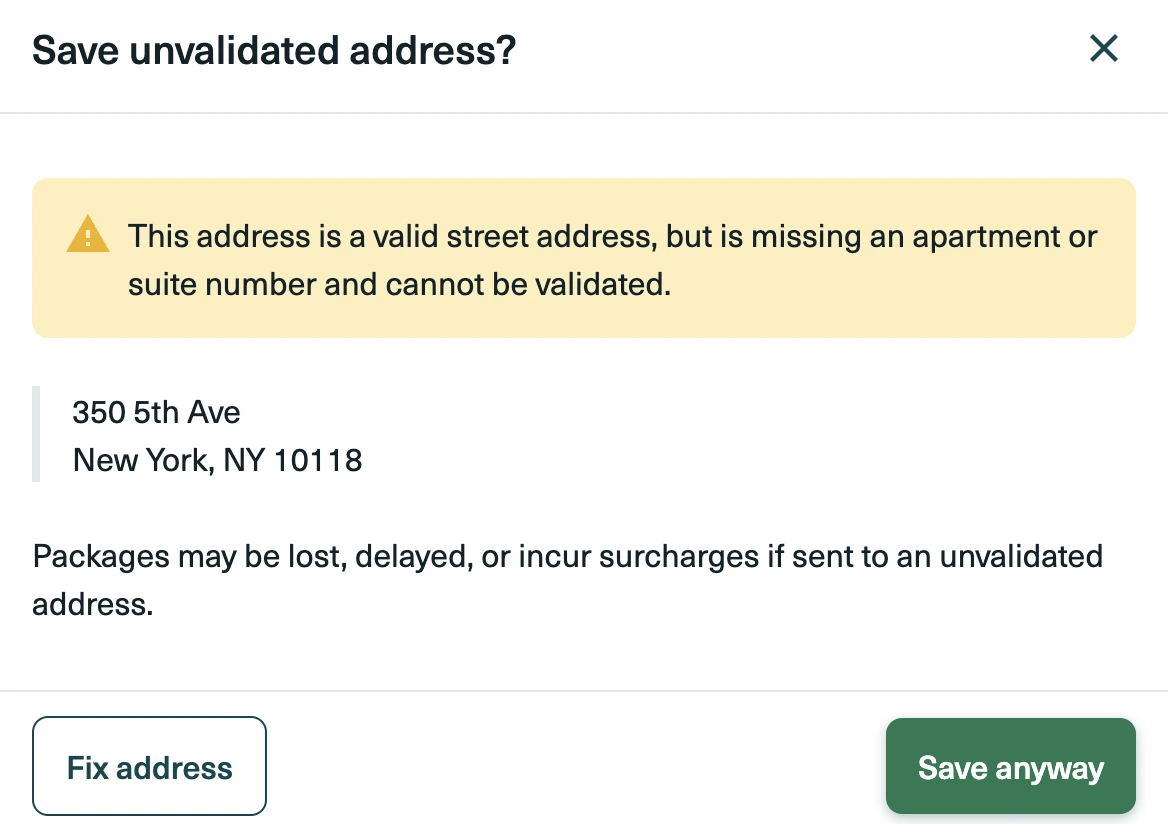
Shippo checks US addresses before you pay. If something looks off, like a missing suite number, you'll get a warning. Fix it right there.
Step 3: Add the package details
Enter the box's length, width, height and weight from step 1. If you're using a carrier's own box, pick it from the list and the size fills in for you. This is also where you add extras like signature confirmation or insurance, if you want them.
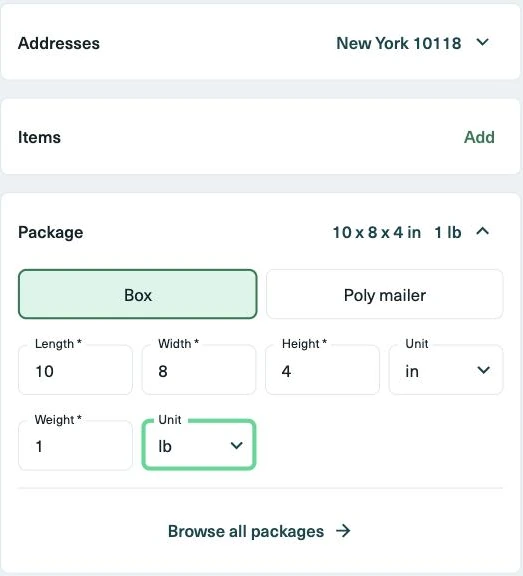
Shipping abroad? Add each item with its description, quantity, value, weight and country of origin. Shippo uses that to fill in the customs form.
Step 4: Compare services and buy
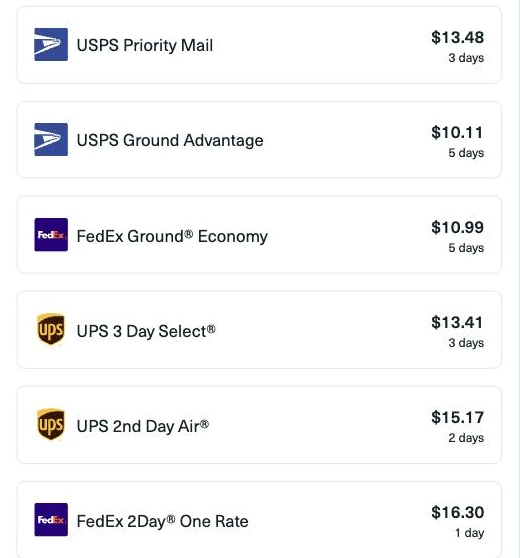
Now you'll see what each service costs and how long it takes. Pick the one that gets the package there by the date you promised, at a price that works for you. In Shippo, the rate list tags the cheapest and fastest options. Click Buy, then Purchase.
If you don't have an account yet, you can create one for free and buy your first label the same way.
Step 5: Print the label
Download the label and print it at 100% or "actual size", never "fit to page", so the barcode scans. Plain paper and a regular printer are fine. More on printers and label sizes below.
Step 6: Stick it on the box
Put the label flat on the largest side of the box, away from seams and edges, so it scans in one go. If you're reusing a box, remove or black out every old label so only the new one shows. On tape, the carriers differ: USPS suggests clear tape over the label to keep it from smearing, while FedEx asks you to keep tape off the barcode. Then drop the package off or schedule a pickup.
How much does a shipping label cost?
A label costs whatever the postage is for the service you pick, which depends on the weight, box size, distance and how fast it needs to arrive. For a 1 lb box from San Francisco to New York, the cheapest of the five services below was $8.76 in Shippo on September 30, 2026. For a 5 lb box, it was $14.15.
| Service | 1 lb, 10x8x4 in | 5 lb, 12x10x6 in | Est. transit |
|---|---|---|---|
| USPS Ground Advantage | $10.11 | $14.27 | 5 days |
| USPS Priority Mail | $13.48 | $25.86 | 3 days |
| UPS Ground Saver | $8.76 | $14.15 | 5 days |
| UPS Ground | $9.34 | $15.31 | 4 days |
| FedEx Ground Economy | $10.99 | $18.60 | 5 days |
Shippo commercial rates pulled September 30, 2026, from ZIP 94103 (San Francisco, CA) to a street address in ZIP 10001 (New York, NY) not marked residential, at the box size and weight shown. Transit times are estimates, not guarantees. Your rate will vary by origin, destination, weight and dimensions.
Prices shift with every package, so it pays to compare each time. Box size matters too: USPS charges Priority Mail and Ground Advantage parcels over 1 cubic foot by their size when that works out higher than their weight, so use the smallest box that protects the item. Our guide to shipping label pricing goes deeper on what drives the price.
How to print shipping labels at home
You can print shipping labels at home on plain 8.5x11 paper with any inkjet or laser printer. Cut the label out and tape it on. If you ship most days, a thermal label printer is worth a look: it prints 4x6 sticky labels with no ink and no cutting.
Shippo gives you a letter-size PDF with two labels per page by default. If you switch to a thermal printer, change the format to 4x6 under Settings > Shipping > Printing, and set the paper size to 4x6 in the printer's settings too. The change applies to labels you buy afterward.
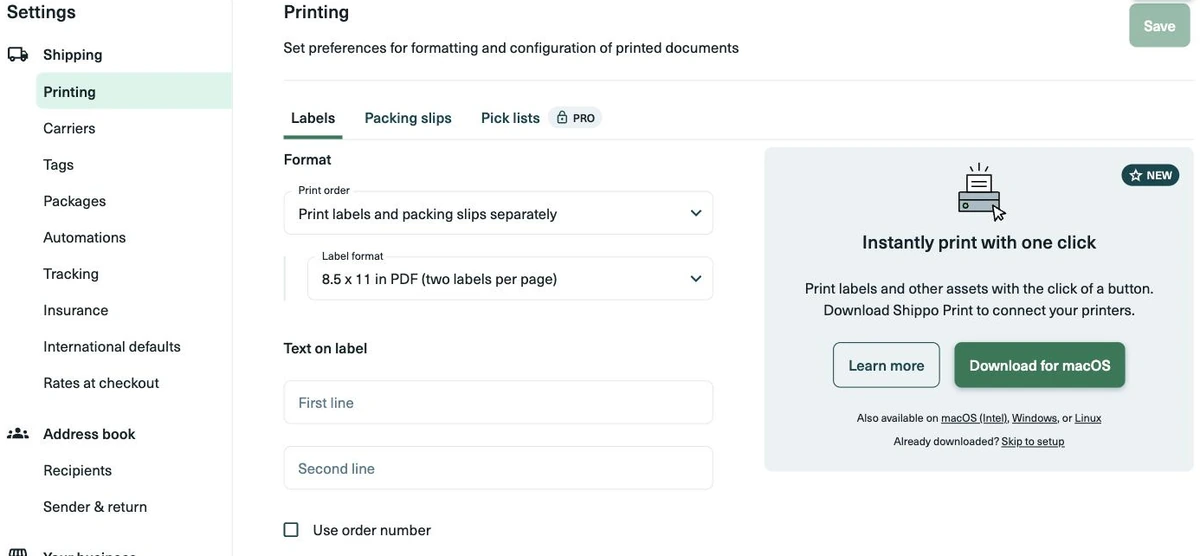
For daily shipping, the free Shippo Print desktop app for macOS, Windows and Linux adds click-to-print: once it's set up, each label goes straight to your printer when you buy it.
No printer at all? Buy the label anyway, save the PDF, and print it at a library or an office print shop.
Made a mistake? How to cancel a label
If you entered the wrong weight, service or address, don't ship with that label. Cancel it and buy a new one. In Shippo, go to the Shipments page, open the menu (⋮) next to the shipment, click Refund label, then Request refund. You have 90 days to ask, and refunds for unused labels are processed within 14 business days, as a credit on your next invoice, insurance included.
Two things to watch:
- Never use a label after you've asked for a refund. It's no longer valid, and USPS confiscates packages with invalid labels.
- USPS labels are only good for 30 days. If you bought one early and didn't use it, request a refund and buy a fresh one.
Shipping lots of orders
If you sell on Shopify, Etsy, eBay, WooCommerce or another platform, connect your store and your orders show up in Shippo with the addresses already filled in. From there you can select up to 100 orders and buy all their labels at once. Orders in a spreadsheet work too: import them from a CSV file and batch them the same way.
Frequently asked questions
Can I handwrite a shipping label?
For USPS, yes: you can write the addresses by hand if you print clearly with a pen or marker. You still need postage, and a package over 10 ounces paid only with stamps has to be handed to someone at the Post Office counter.
Can I make a return label at the same time?
Yes. In Shippo you can add a return label when you create the shipping label, or make one later. Return labels work for domestic USPS, UPS and FedEx shipments.
How do I ship a package internationally?
The steps are the same, plus the item details for customs from step 3. Shippo creates the customs declaration from them, and you can download a commercial invoice from the order. Our international shipping guide covers duties and what you can't send.
Create your first label
Ready to send your first package? With a free Shippo account, you can compare rates from 40+ carriers, including USPS, UPS and FedEx, and print your label at home.
Looking for a multi-carrier shipping platform?
With Shippo, shipping is as easy as it should be.
- Pre-built integrations into shopping carts like Magento, Shopify, Amazon, eBay, and others.
- Support for dozens of carriers including USPS, FedEx, UPS, and DHL.
- Speed through your shipping with automations, bulk label purchase, and more.
- Shipping Insurance: Insure your packages at an affordable cost.
- Shipping API for building your own shipping solution.
Stay in touch with the latest insights
Be the first to get the latest product releases, expert tips, and industry news to help you save time and money on shipping.
Loading...
Thanks for your submission!


